Wrap Calories
Jimmy John's Tuscan Italian Wrap Calories and Nutrition
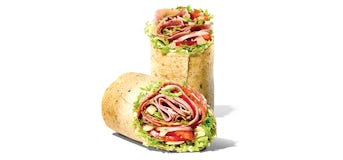
The local wrap record for Jimmy John's Tuscan Italian Wrap has 861 calories, 44g protein, and 3042mg sodium. Serving size and add-ons determine the practical meal total.
Source and safety note
This article is from an independent planning site, not Jimmy John's. Source snapshots used by this site were captured on 2026-06-18. Nutrition, allergen, menu, price, hour, and location details can change, so verify official sources before relying on them.
Key takeaways
- The local wrap record has 861 calories.
- It includes 50g fat, 60g carbohydrates, 44g protein, and 3042mg sodium.
- The saved menu card shows 560-840 calories for the wrap; that may reflect rounding, a different portion, or a different source date.
Tuscan Italian Wrap calorie answer
A local Nutritionix-backed record lists 861 calories for one wrap of Jimmy John's Tuscan Italian Wrap. The same record lists 50g fat, 60g carbohydrates, 44g protein, and 3042mg sodium. That is the clearest starting point for the calorie question, provided the serving and item match what you plan to order.
Calories belong to the complete named item, not just its most noticeable ingredient. A wrap includes its filling, sauce, vegetables, cheese, and wrap; a side or sauce includes its own prepared portion. Use the serving label and item name together so a side cup is not mistaken for a full meal or a menu range for an exact weighed serving.
- Calories: 861.
- Fat: 50g.
- Carbohydrates: 60g.
- Protein: 44g.
- Sodium: 3042mg.
Why a menu range and a nutrition record can differ
The saved official menu card lists 560-840 calories for the wrap. A range is useful for scanning the menu, but it is not necessarily the same thing as one structured nutrition record. It can represent more than one preparation, a rounded display, a different size, or information captured at another point in the menu cycle.
The safest comparison keeps the variables visible. Match the named item, serving size, bread or wrap format, sauce amount, and any requested additions or removals. When a menu display and a local record do not align perfectly, show both as context and verify the current official source before using the number for a strict nutrition target.
Read the full nutrition profile
Calories answer only one part of a meal-planning question. The local record also shows fat, carbohydrates, protein, and sodium, which can point in different directions. A wrap may be substantial because of its filling and tortilla, while a sauce may add a small-looking amount of food with a comparatively concentrated fat or sodium contribution.
Use the calculator to compare the complete order rather than ranking an item from one number. For example, keep the main item constant while testing a side, drink, sauce, or dessert. This makes the effect of the add-on easier to see and reduces the chance that a lower-calorie main is paired with an overlooked high-calorie extra.
Plan modifications and portions carefully
Community ordering questions often center on what changes when a customer removes bread, requests less sauce, chooses an alternate preparation, or splits a portion. Those are reasonable planning questions, but the standard record should not be silently reused for a modified item. Note each change and treat any hand-calculated adjustment as an estimate unless the current official ordering flow supplies a matching total.
Portioning also matters when an item is shared or saved. Eating half can change the calories consumed in one sitting, but it does not change the calories in the package or original order. Record the portion you expect to eat, then add the sides and drinks that will actually accompany it so the final comparison reflects a realistic meal.
How this guide uses source data
This guide is built from the same source set used by the calculator and menu pages: public Jimmy John's menu references, official nutrition and allergen links, Nutritionix restaurant data, and local source snapshots maintained for this site.
The local source snapshot date is 2026-06-18. That date is included because restaurant data is not static. Recipes, suppliers, portions, limited-time items, local availability, and ordering channels can change after a guide is published.
When this guide discusses a nutrition pattern, treat it as a planning explanation rather than a guarantee. The practical goal is to help you know what to compare before you move to official Jimmy John's resources for current details.
A practical comparison workflow
Start by deciding what you are actually comparing: a main item by itself, a full meal, or a specific swap. Then keep as many variables constant as possible so the difference you see is tied to one decision instead of several hidden changes.
For example, compare the same main item with different sides, compare two main items with the same drink, or compare a meal with and without dessert. This approach makes the calculator more useful than scanning isolated numbers.
- Choose two or three realistic orders instead of trying to rank the entire menu.
- Add sides, drinks, sauces, and add-ons before judging the final meal.
- Review calories, protein, sodium, carbs, fat, sugar, and fiber together when those fields are available.
- Use official nutrition and allergen resources before relying on any estimate for health-sensitive decisions.
When to verify outside this site
Independent planning pages are useful for narrowing choices, but they should not be the final source for allergies, medical nutrition therapy, strict diets, pregnancy-related concerns, ingredient sensitivities, or restaurant availability.
Use official Jimmy John's documents, the current ordering flow, local restaurant staff, and qualified professionals when accuracy matters. This is especially important for allergen handling and cross-contact questions because store-level preparation can affect risk.
If a number on this site appears different from an official source, prefer the current official source and treat the difference as a signal to re-check the item before ordering.
Common questions
How many calories are in a Jimmy John's Tuscan Italian Wrap?
The local wrap record used by this site has 861 calories.
Why can the official menu show a different number?
A menu range and one structured record can reflect different portions, preparation choices, rounding, or source timing. Match the exact item and serving before comparing.
Does this number include a full meal?
No. It describes the named wrap. Add the sandwich, side, drink, sauce, or other items you plan to order in the calculator.